
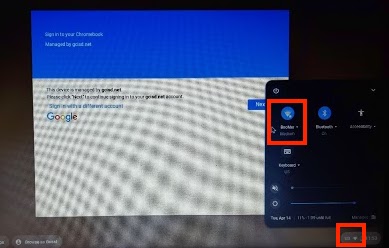
If you're connecting a hotspot to a Chromebook for the first time, click on the wifi symbol at the bottom right of the sign-on screen. When the window pops up, click on the larger wifi symbol.
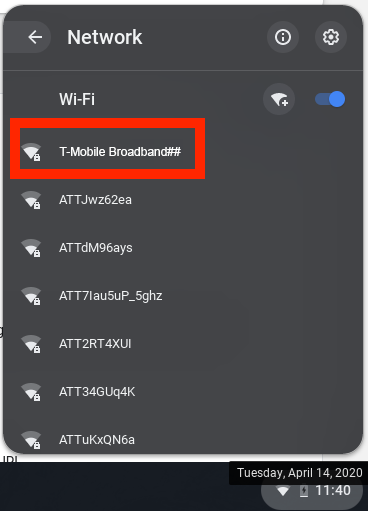
Click on the hotspot name and enter the password you were given (usually on the back label.)
Comments
0 comments
Article is closed for comments.