
Verified 06/21/22 GH
Students and staff that had a "brand account" tied to their HandySchool YouTube account are now being locked out of YouTube by Google until the brand account is removed. The way to correct this is to delete YouTube from your account. That feels scary but it's only deleting the brand account. Staff and students are not able to delete true HandySchool account services.
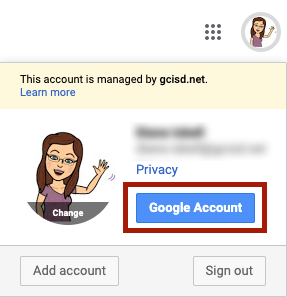
Launch your email account, click on your avatar at the top right then click Google Account.
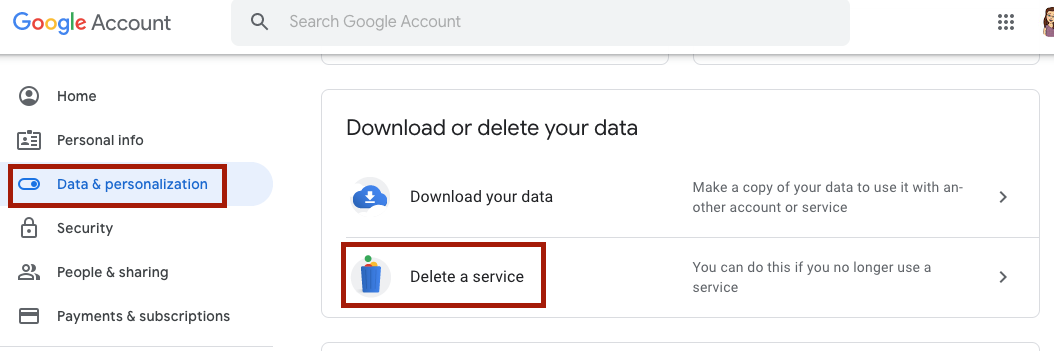
Click on Data & Personalization then on Delete a Service
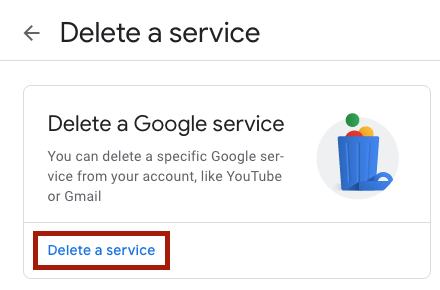
Click Delete a Service
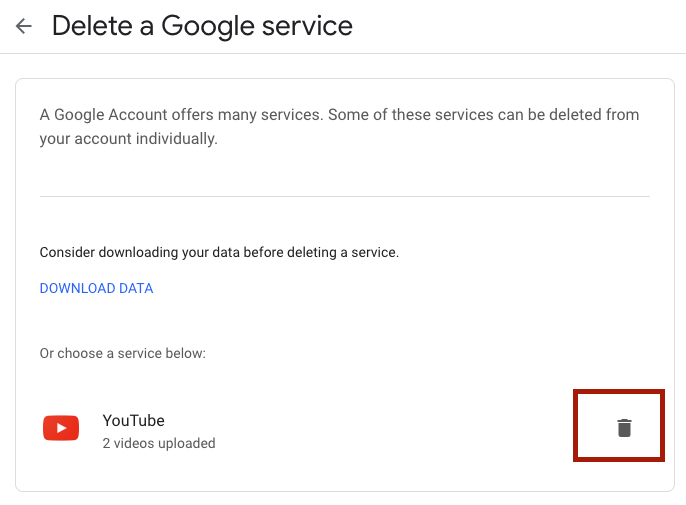
WARNING - STAFF ONLY: While this process won't delete your HandySchool YouTube account, it WILL delete any content you may have uploaded. If you have anything you don't want to lose you'll want to click the Download Data button.
When you're ready, click the trash can icon and follow the prompts. You'll probably be asked to log in again.
Once complete, it will take a few minutes before YouTube will let you log back in again (depending on how much it's deleting) but this should then allow you to log in with your HandySchool credentials.
Comments
0 comments
Article is closed for comments.