
Become a Parent Observer in Canvas
(For assistance with setting Parent Notifications in Canvas, click here!)
_____
1. Click on this link to get to the login screen: HandySchool Canvas Login
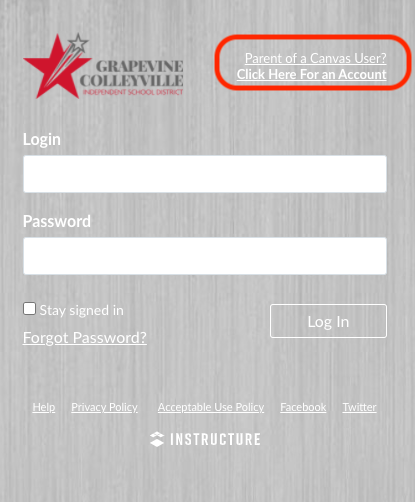
2. Click on the white link next to the HandySchool Logo.
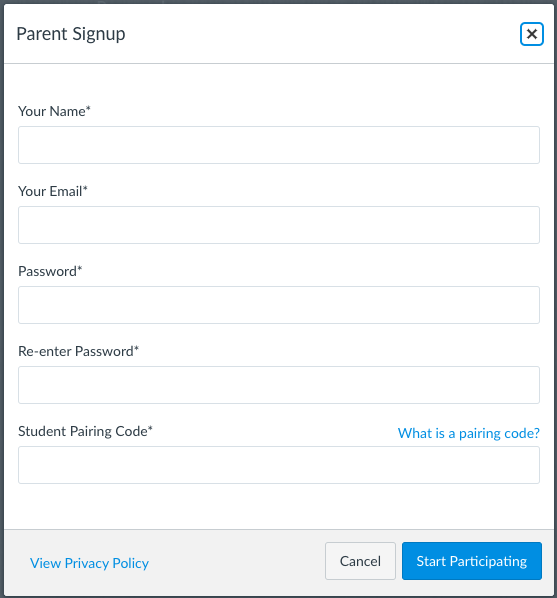
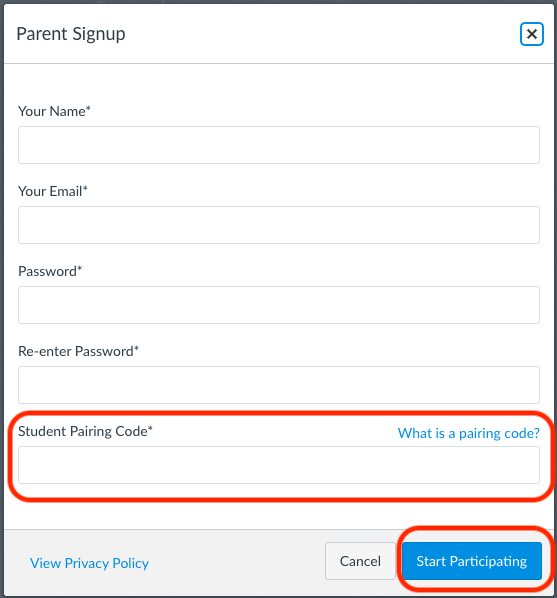
3. Fill out the information in the pop-up menu.
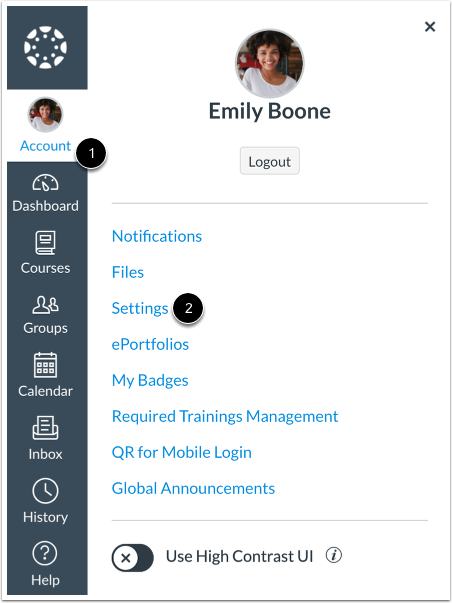
4. To find the pairing code - have your child sign into THEIR Canvas Account! Then, click on Account, then Settings.
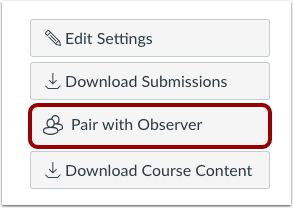
5. Then select the Pair with Observer button. This will show a pairing code in a pop-up menu.
6. Copy the six-digit alphanumeric pairing code. Select OK to close the menu.

7. Go back to the original menu and paste the Pairing Code in the correct box. Then select the blue Start Participating button!
Now you should be able to see ALL of your 5th-12th grade students Canvas activity with one login!
https://gcisdlearns.instructure.com/login/canvas
Find this app in ClassLink!
Click here for more about Parent Portal Enrollment and Login!
Verified 9/22
Comments
0 comments
Article is closed for comments.